Last month, I talked about getting into VRChat with a cheap used Meta Quest 2. Well, turns out I've been lucky enough to get a lot further into it a lot quickly, because I was one of the first to receive a copy of Valve's new Steam Frame headset.
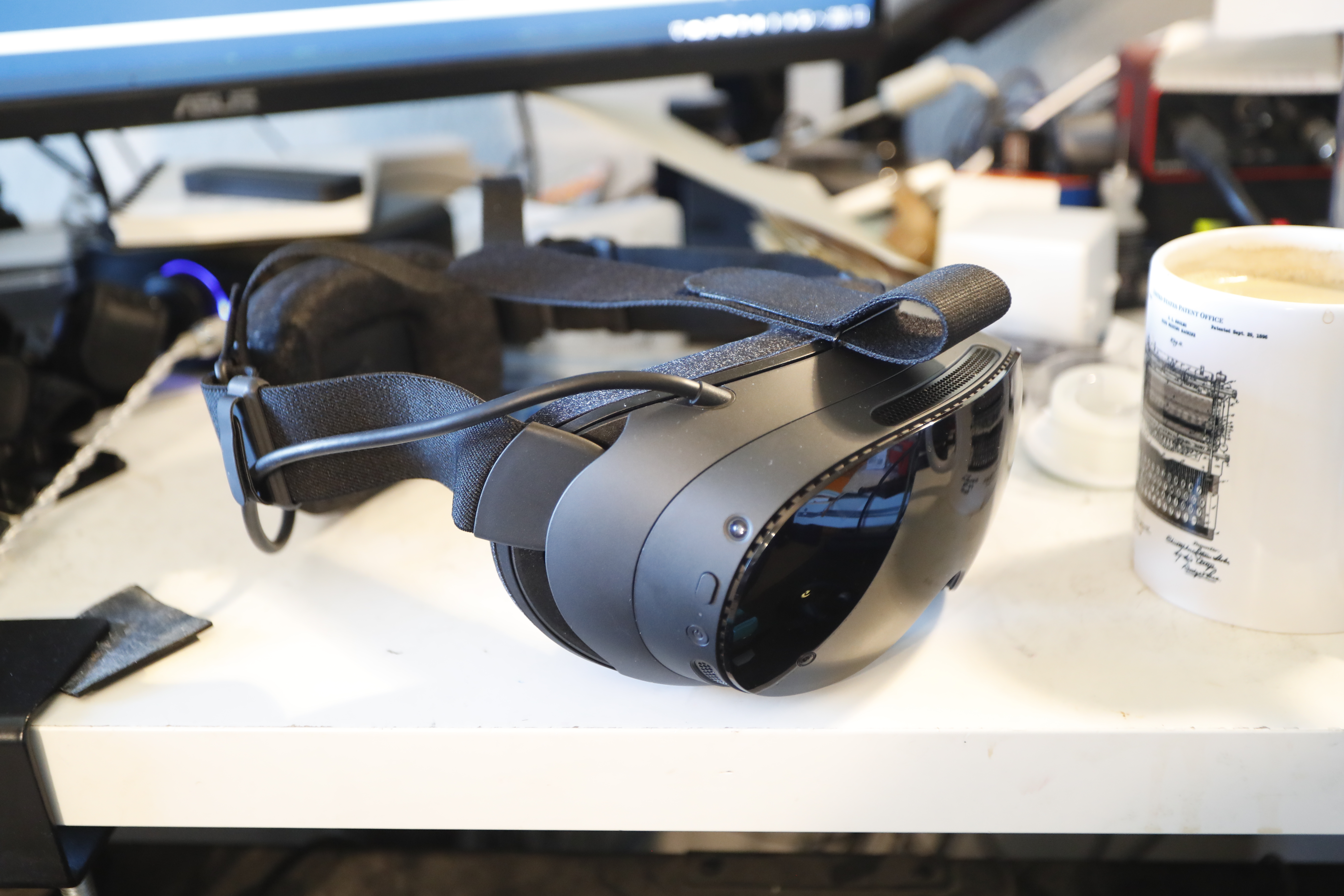
The hardware is really good, with a couple caveats
In the run-up to the Frame's launch, I saw a lot of consternation about how it would stack up to the Meta Quest 3 in terms of hardware performance, with some Quest 3 users on the fence about whether to get a Frame at all. Going by the numbers, that seems pretty reasonable; the Quest 3 has about the same resolution, about the same FoV, higher refresh rate, and color passthrough cameras. The Frame beats it on weight and includes eye-tracking hardware, but many Quest 3 power users have aftermarket eye tracking anyways, so one way of looking at it if you're in that situation is that you're paying $1,200 to swap color passthrough for better comfort.
I, however, am not in that situation. I have a Quest 2, and there isn't a single thing it does better than the Frame. The Frame's displays and optics look so much better, the FoV is a huge upgrade, the Quest 2 also has grayscale passthrough but it's much worse, and at that point the built-in eye tracking and lighter weight are nice little bonus features. Since I've been doing pretty well for myself lately, getting the Frame was a no-brainer.
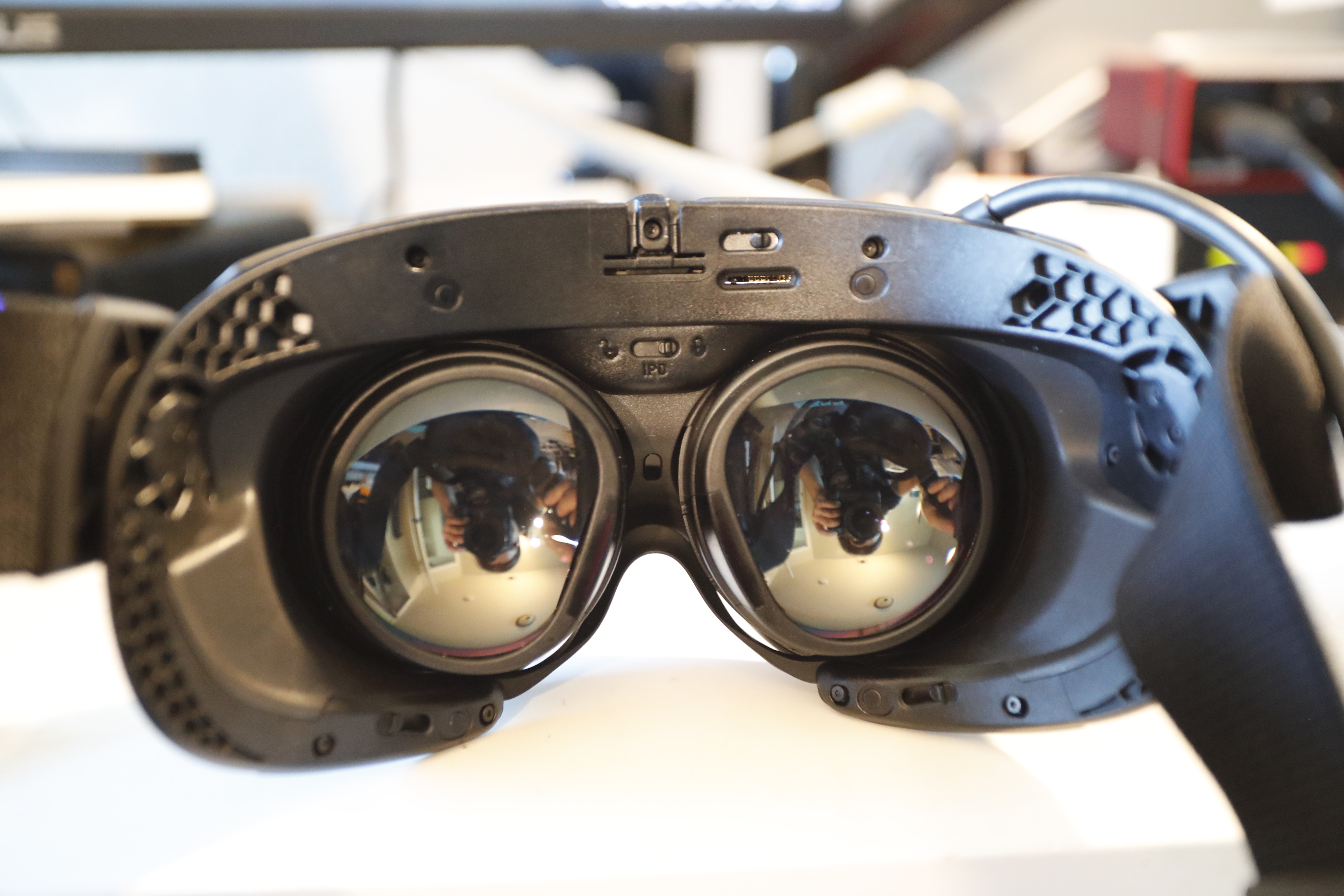
No, I don't know why the lenses have that reflective coating on them.
On the display side, the Frame's displays are brighter, have less screen-door and no Fresnel artifacts, and have a noticeably wider color gamut. In my first VRChat session with the Frame I spent a while just staring at a piece of a friend's avatar and thinking "the Quest 2 cannot display that color". It's not an OLED, which loses points compared to the Bigscreen Beyond 2 (which I'd considered getting in the past before everyone pointed out to me that the Steam Frame was coming any day now), but it certainly isn't disappointing.
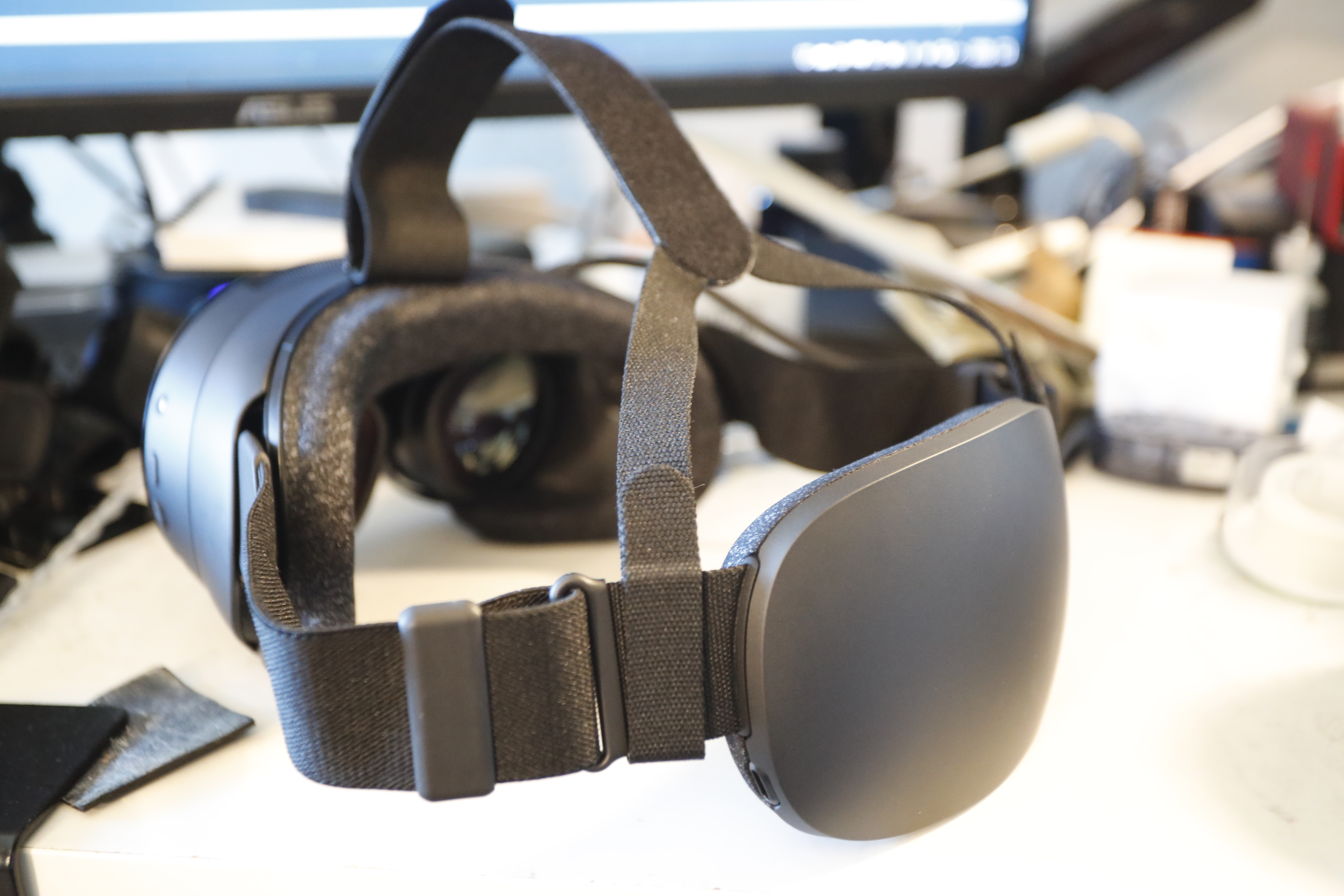
Comfort is also a lot better. The Frame puts its battery on the back of the headstrap, which makes it feel a lot more balanced than the Quests which necessarily put it as far forwards as possible. The Quest 2 felt like it was strapped to my head, and the Frame feels like it's sitting on my head. I was constantly having to adjust the Quest 2's straps and (especially with the optional top strap) the Frame stays in place all by itself. The one downside is that I have to wear my glasses under the Frame since I got in too early to get prescription lens inserts, but that should be a temporary problem and I found there's a way to get it almost comfortable.
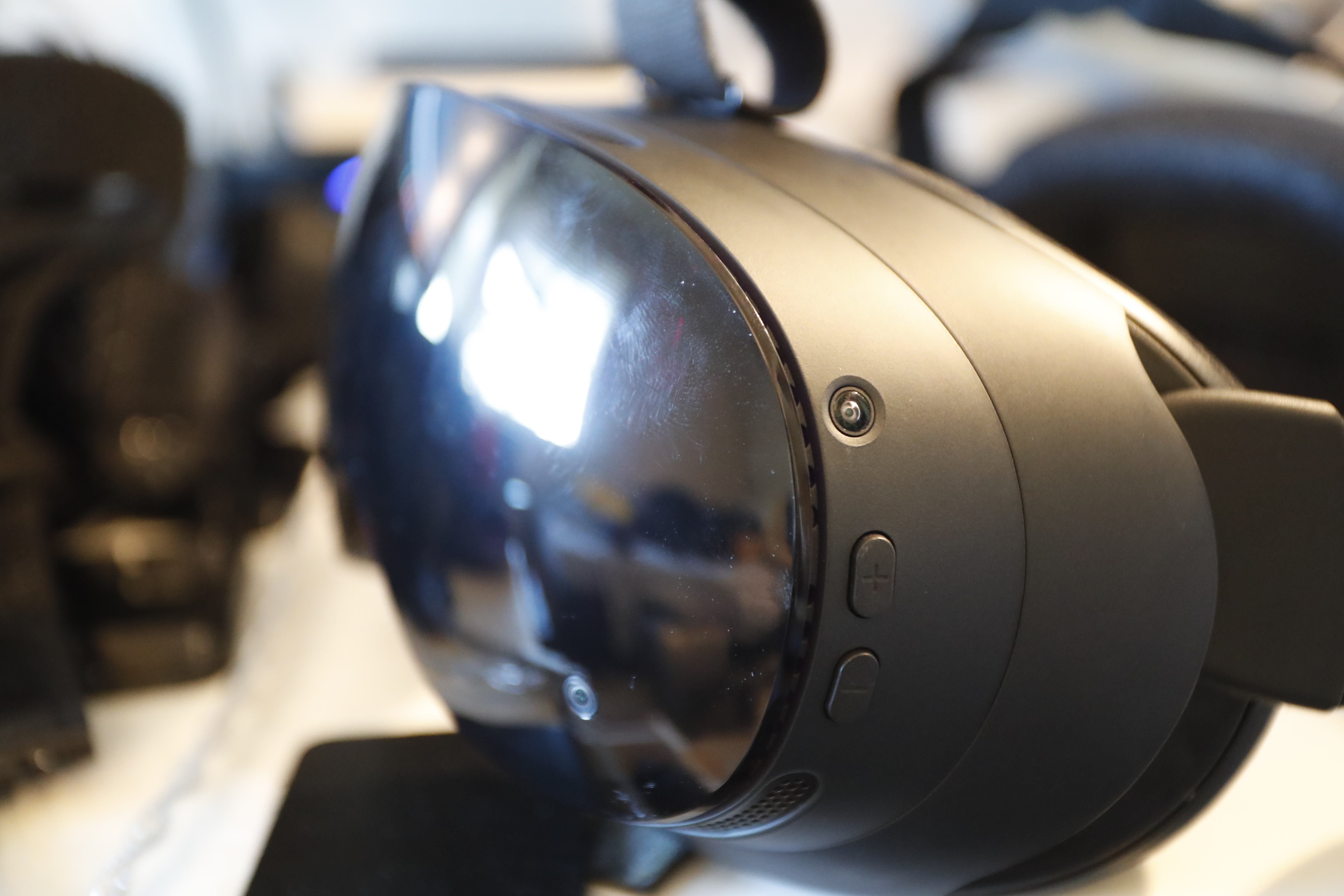
The Frame's tracking / passthrough cameras are also an upgrade. While on paper they're pretty similar (four monochrome cameras performing SLAM for tracking with passthrough kind of done as an afterthought on top of that hardware), the Quest 2 complains if my room isn't brightly lit while the Frame will work all the way down to "no visible ambient light at all" thanks to the cameras being IR sensitive and the headset being chock-full of IR LEDs. The rendered image seems about the same, so Quest 3 users are probably right to feel superior. Still, though, it's nice being able to turn down the room lighting so I don't get flashbanged by taking the headset off at the end of a night.
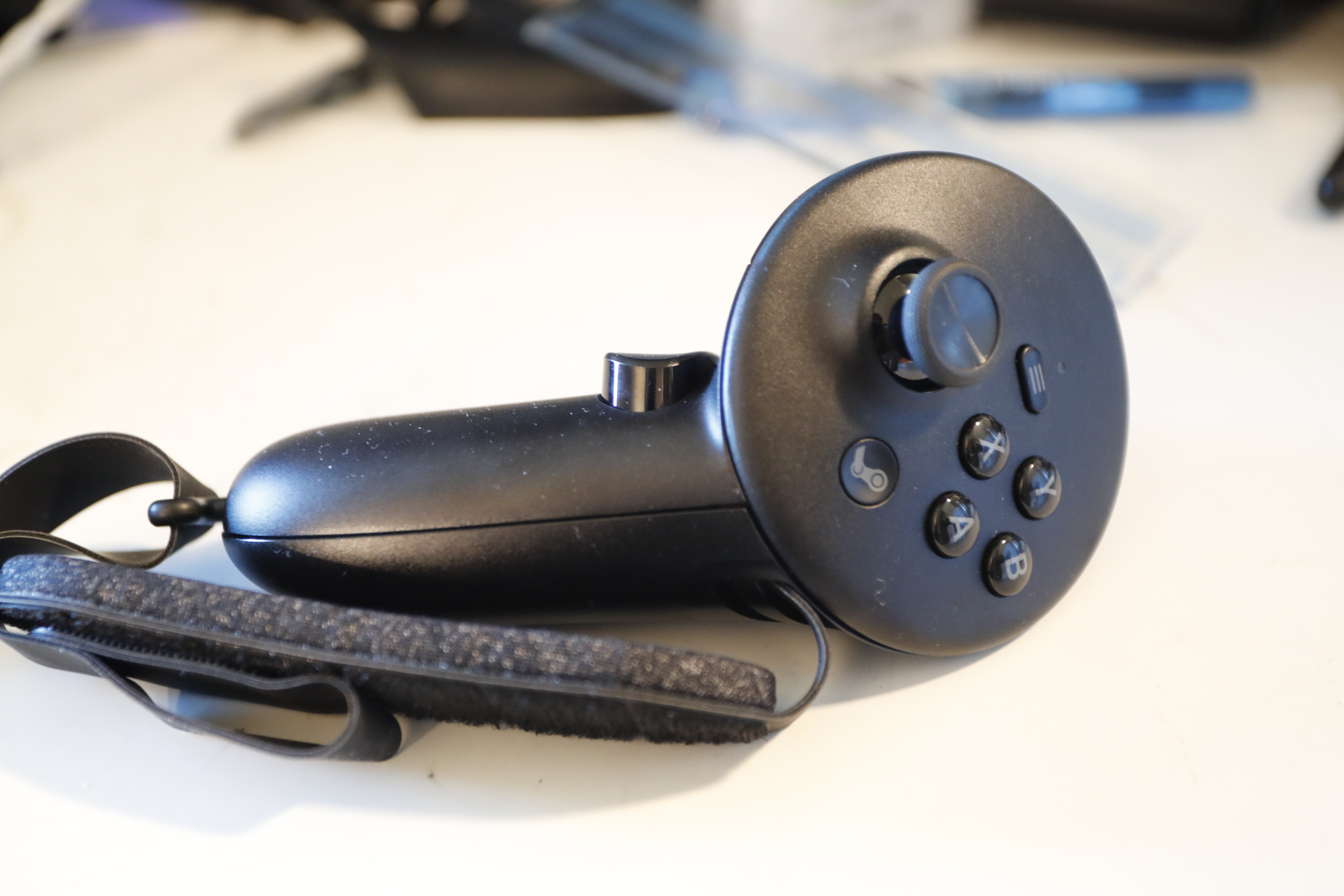
The controllers are one part I'm a bit iffy on. The thumbstick hardware is better, of course, but the layout of the stick and face buttons is a tiny bit uncomfortable to my hands. The finger tracking really isn't there yet, I'd say; the biggest thing I noticed was that the in-game positions of the sticks and face buttons is reversed, so resting your thumbs on the thumbsticks (a natural and practical way to do it) puts your avatar's hands in this weird pose where the thumb is almost in line with the fingers. It also has a harder time tracking the middle finger than the other four, so it's pretty easy to flip someone off by mistake. I'm hoping that all gets cleaned up with software updates, but apparently the accidental bird is also a problem on the Index controllers, so who knows.
That also means I maybe wasted my money on the Ergonomic Accessories Kit, since the controller straps are mainly relevant for finger tracking and I'll probably take them off again if I end up disabling it. The other parts of the kit are a different nose piece that's supposed to block more ambient light but doesn't really make a difference with the glasses spacer in place, and a top strap for the headset that seems nice but maybe not completely required and probably not worth $50 on its own.
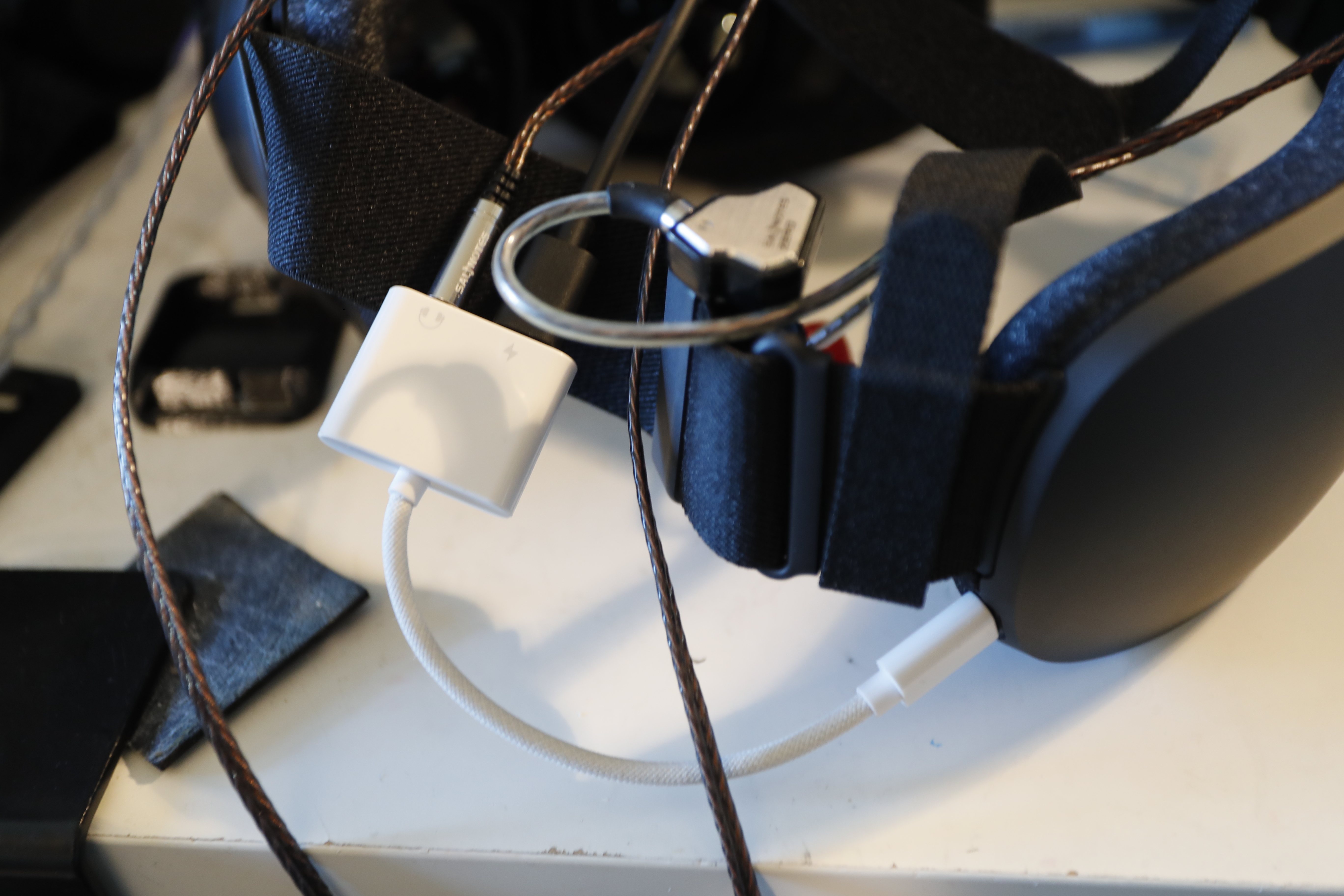
And then there's the one really absurd flub: The Frame doesn't have a headphone jack! I live in a shared house, so I prefer to use a pair of earphones while in VR for privacy and courtesy, since headset built-in audio is pretty loud in the room. The Frame's built-in speakers also aren't really all that, and my friends like to listen to genres of music that are rather demanding in terms of audio reproduction, so I've got every reason not to use them. Unfortunately, you can't do that out of the box. There's one USB-C port on the back of the headset, and I already need it to keep the headset charged (since the battery doesn't last that long), so I had to go out and buy this stupid dongle to break off a 3.5mm jack from that.
Apparently there's some unspecified future headstrap upgrade Valve is going to come up with that should include better speakers and presumably a headphone jack, but who knows. This isn't a terrible solution by any means but it's dumb that I had to do it. On the plus side, the Frame's strap is a lot more comfortable to use with IEM-style earphones than the Quest, so I can probably look into upgrading those now.
And to round out things on the hardware side, it's of course a lot easier to mess with the Frame. The face pad is stuck on with magnets, so that comes right off (actually, maybe a little too easily -- I've had it get dislodged from setting the headset down a couple times), and the display module separates from the headstrap and battery assembly with 3 slide latches. So far I've only needed to do that to install the nose bridge from the accessories kit, but I'm looking forward to seeing what people come up with for aftermarket straps in an ecosystem that's very explicitly designed to support it.
The software is pretty bad, with a couple caveats
So, the big up-front piece of this: No part of the software stack involved in running the Frame was developed by Meta Platforms, Inc., and that means it's better. Mark Zuckerberg is an evil shithead (would everyone please stop calling him a lizard person?) and my opinion is that everyone should be quite happy to spend the extra $600 over the Quest 3 to keep Meta's code out of their house.
On the merits, though, my day-to-day experience with the software side of things is actually a little worse now. I was using a tool called WiVRn to stream content to the Quest 2, and it works great. Its client doesn't support the Frame though (yet?), so I have to use SteamVR instead, and it's just not as good. It works, yeah, but it took an incredible amount of effort to get my desktop overlay to play nice with it, and streaming to a Frame from Linux is actually still not fully officially supported by Valve. A couple other programs I have that claim to support an integration with SteamVR either just don't work (SlimeVR) or crash SteamVR when enabled (VRCX), so that's disappointing.
The included WiFi dongle seems not to really make a difference to streaming performance when used on its own, and the much-touted "multilink streaming" feature seems to make it worse, so I'm not using it. I did already have a dedicated WiFi network set up for streaming to the Quest that can run at least 200 Mb/s without interfering with my LAN connection, so I'm probably the person on the planet who least needs the dongle, but I'd somewhat expected moving to 6 GHz to get things completely stable and it still gives me the occasional hiccup.
On the headset side, I constantly have it get stuck in the Steam overlay brought up by pressing the menu button on the controller. Usually, pressing the button again dismisses it, but sometimes I have to explicitly click back into VRChat to get it back. One time I somehow accidentally started streaming VRChat's desktop window to the Frame over the actual VR display instead, so I saw two copies of my rendered view, and attempting to close the second stream caused VRChat to exit entirely (since it's all nice and integrated through Steam).
I have little interest in playing standalone games on the Frame, so all the Steam stuff on there is mostly an impediment to starting a stream from my desktop. On the Quest 2, I had things set up so that I could get some things into place on the computer, put the headset on, and get right down to business, but I think with the current Frame stack I always am going to have a step where I have to take the headset back off after SteamVR is connected and launch stuff on the desktop, which is annoying. While I'm sure SteamVR will get more reliable over time, if WiVRn gets Frame support I'm probably going right back to it.
On the other hand, I've never booted up the headset and found myself in a Horizon World, so, again, it's ultimately better than the Quest. As with the hardware, it should be a lot easier to mess with the software side of the Frame, since it just runs Arch Linux under there and they let you go at that however you'd like. I'm expecting to see tools show up any day now to pass eye tracking data along to VRChat, and as I said earlier it looks like WiVRn is ramping up to be a complete replacement for SteamVR.
So, on the whole, I'm very happy with the Frame. I think it's a good buy if you have the cash, though I do wish they had a cheaper option with even less onboard storage and RAM available aimed at tethered use.
oof it took me all of six weeks between "huh this vrchat thing looks neat" and "i own a brand-new top-of-the-line VR headset". chat i might be cooked